I would like to share an issue I was having with the TBM930 locking up MSFS 2024 to the point I had to use Task Manager to shut it down. All was good until I fired up the aircraft and started to taxi and then the issue would appear.
Here are the steps I took to illeviate the problem.
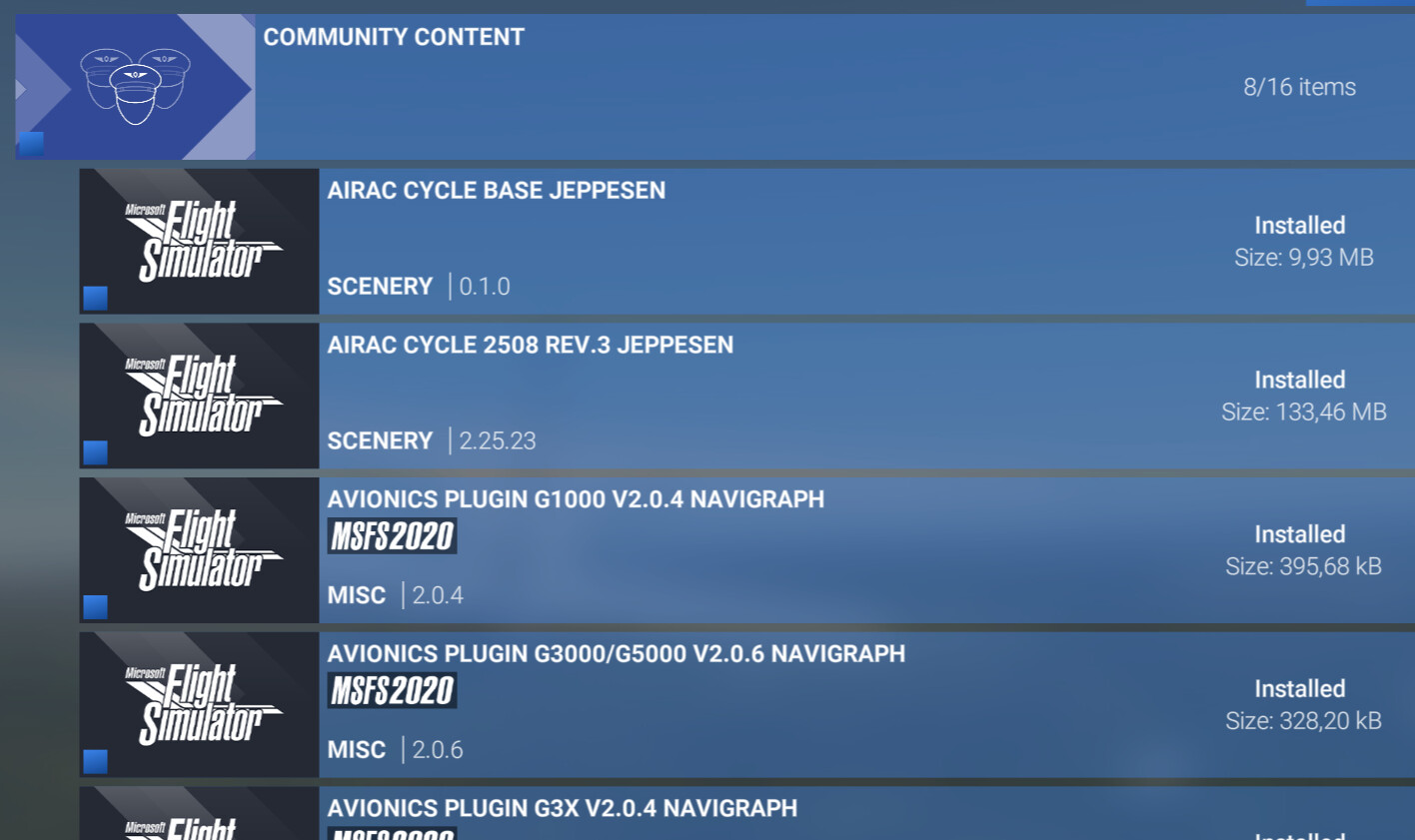
Removed Everything from the community folder with the exception of Navigraph Plugins that are installed via the Navigraph Hub.
Attempted to try another flight, and the same issues came back, stutters and total lockup.
It dawned on me I was using custom Airport Scenery. All the flight tests were done from KBLD and KORH of which have airports installed in the Marketplace and compatible with 2024. So I went in and disabled the custom scenery for both of them.
Attempted another couple flights from each airport with the TBM930. Everything went perfectly as planned, not one stutter from both airports. Completed both flights to the end.
Put all my items back into the Community folder and did another couple flights, exactly the same as before, and the results were perfect as in #4 test.
Keep in mind I had the Navigraph plugins active throughout all this testing, but my custom airport scenery will still not function. This time I disabled the Navigraph Plugins, went back in and re-enabled both of my custom airport scenery packages from the Marketplace. Low and behold, both of the custom airports worked just fine throughout both flights, not one stutter or lockup. My G3000 suite no longer had Navigraph options like simbrief, but I had my custom airports back.
Special Note: Both Custom Scenery Airports are made by 2 different developers. KBDL by LVFR and KORH by MXI Design.
I went and re-enabled the Navigraph Plugins in the Community Folder and the ugly issue returned. Everything locking up again.
Conclusion, there is an issue either with the W/T Avionics which I don’t think is an issue as they play nice with my custom airports when Navigraph is not present. Maybe it’s a Navigraph issue not playing nice with the WT 3000 suite, just don’t know.
On the G1000 suite, I have not had any issues. Seems just tied to the 3000 Suite.
I can make this issue happen every single time I try to use Custom Airport Scenery on the TBM930 with the Navigraph Plugins Enabled. Was not sure where to post this, so have posted it in both Discord Channels for WT and Navigraph.
Anyone with this issue, just disable the navigraph-avionics-g3000-g5000 plugin and see if that helps.
Please clarify: Is there a combination of one scenery and one Navigraph plugin (G3000) without anything else installed that will lock your simulator up?
Can you make the issue occur with any freeware addon scenery?
What simulator version are you on? Beta? Non-beta?
I would like to attempt to reproduce the issue, but right now I do not have enough information. It is also odd, I am fairly sure there are many other users who use the plugin while also having third party airports installed.
I uninstalled your G3000 plugin from Navigraph Hub and then reinstalled it.
I loaded into the sim with KMSP, and never got the plane started. I had to use task manager to exit the sim.
I then rebooted, and removed the g3000 plugin, and all was perfect in the cockpit with the KMSP Custom Airport Scenery, no issues at all.
I then rebooted again, and enabled the G3000 plugin, and Disabled the KMSP scenery. Everything went perfectly in the cockpit.
So the final outcome is it hangs with any custom airport scenery, but without it, the g3000 plugin works fine. Imported the flight plan without any issues. I can live without the plugin as I can import simbrief from the EFB then push the plan to the Avionics. It is pretty frustrating though.
I tried starting from the gate too, and everything worked as expected.
There isn’t really anything we’re doing in the plugin that should be able to cause your simulator to freeze. It’s odd that the G1000 works, but the G3000 does not - they share a significant amount of code. The devil must be in the details…
Perhaps there is something odd going on with your package order. Please follow these steps:
Thanks for all the effort. I did what you mentioned and deleted Content.xml as I do have the Store Version. I did not find any positive output with this remedy.
One thing I did try though. I normally push all my avionics out to my 2 FlightSimBuilder G1000’s, and I have an android tablet that I use for the GTC screens using SpaceDesk for that device. I thought maybe MSFS Popout Panel Manager was maybe causing an issue. I did not pop screens out and tried to just get the plane up and running with the mouse navigating the cockpit. It appeared I was having some luck, but right as I was about to taxi, it started locking up again on me. That ruled out the Popout Panel Manager as the problem.
I am going to do another test and load into the sim making sure that Spacedesk is not loaded in the background. It does not cause an issue with any other plane, nor does popout panel manager, but trying to figure out anything at this point. SU3 is was started this mess. I was in the SU3 Beta, and I don’t think I had any issues until the final release came out. I will try and join the SU4 beta and see what happens. So many different settings for so many different machines. Anything could be causing this.
These are my current specs.
ROG STRIX Z790-E GAMING WIFI
Intel i9-13900K
Nvidia RTX 3080TI
G.SKILL Trident Z5 DDR5 6000 64gb
(4) 1TB Samsung M.2 SSD 980 Pro’s (MSFS on it’s own SSD)
Corsair RM1000x Power Supply
Noctua NH-U12A CPU Cooler
Corsair 4000D Case
3 Thermaltake Inlet Fans
I did a flight yesterday with the KMSP airport and the g3000 plug-in enabled. Before doing so I went into Windows Services and disabled any Spacedeck services that were running.
When I got into the plane on the parking spot I did NOT use popout panel manager at this point. I just started the plane up. The issue usually shows up at that point. This time it did not.
So I started to taxi out to the runway 30L. At the threshold still no issues. At that point, I pushed out only my two G1000 screens to my FlightSimBuilder panels. I use AxisAndOhs to program my G1000 panels for use with the TBM930 Avionics. Works just fantastic. I did not push out the small GTC screens thus keeping Spacedesk out of the picture.
After taking off, everything went perfect. Not a single stutter or lockup. So it’s looking like spacedesk may be an issue, as I only use it for the TBM930 so far. I previously used it for the Longitude in 2020, but have not flown that in 2024. I should try pushing those avionics to my android tablet with spacedesk and see if I have the same issue.
I will give that a try and see what happens. Having the GTC screens on the tablet makes the flying so much more realistic, and much easier not having to mouse around.
I solved the problem after trial and error today over 3 hours of playing around. It all came down to the spacedeck settings for the android client.
Disabling Auto Rotation solved it. The other recommendations from others having issues were to Force Hardware Encoding to H.264, Frame Rate to 30 FPS, and Lower the Resolution to 1280 x 768. All of those easing up computer power to the tablet connection.
The performance was so much better as well. The tablet default resolution of 1340 x 800 still worked, it gave me better performance lowering it to 1280 x 768. So, we can put this issue to bed now I hope. Nice to finally have a resolution to the problem and fly the TBM930 with the screens popped out. Much more enjoyable. Now I will see if I can put BATC back into service with a flight and see how that goes. Cross your fingers. LOL
Thank you for the update! Wow, seems like you did some real digging to find the source of the issue..
Thank you for sharing the solution with us! It is much appreciated - maybe someone else will have the same exact issue! Does not sound all too unlikely to be honest.
Don’t hesitate to reach out if you have any further issues!