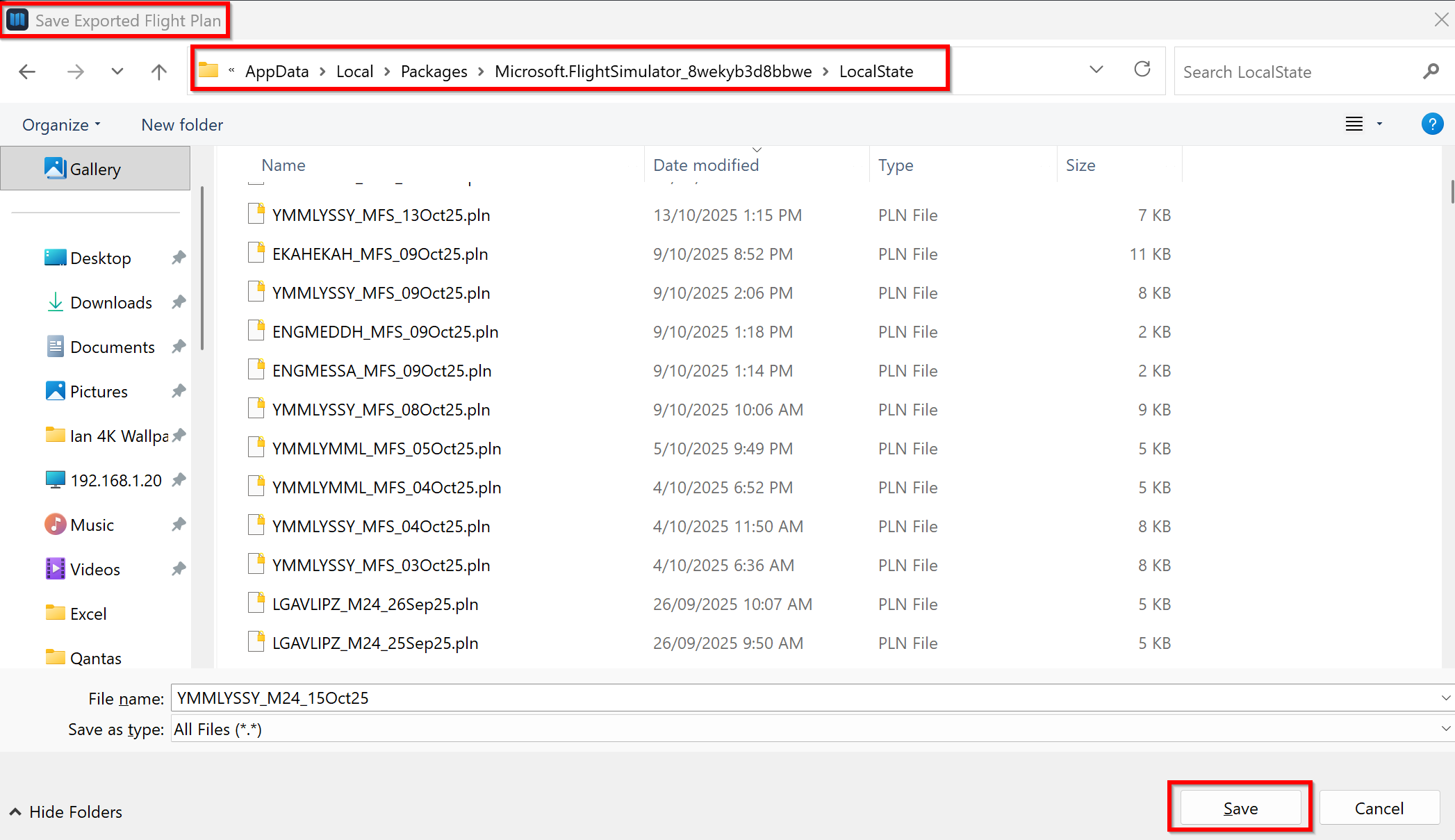
Apologies in advance. I’m a complete newbie, I’ve hunted for the answer. When I export a flightplan from charts on my windows11 PC, I get the list of types and select ms2024. I then get a list of files. If I select open it asks me what program I want to open it with.
I’m confused. I thought I was saving a file. I know it’s something I’ve done wrong, but can anyone help?
Hi Ian. Thanks for the answer, but mine doesn’t look the same. I seem to be put in my downloads folder, which may be because there are some .pln files in there. It looks like the screen you get when you download something, I get a button to open the files or I can go into the folders and change where it’s looking, but I don’t get a save button and if I click the open button on a .pln file, it asks me what application I want to open the .pln file with. Any ideas? Sorry to be giving you such basic questions. Regards Steve
Now I’m really embarrassed. I had made the flightplans on a laptop, not on the PC I use to fly and I have always used the cloud version of charts, although I didn’t realise I was doing that. To make your screenshots, I went onto my flight sim machine, and I got the screens exactly as you demonstrated. I realised what I’d done and using charts on the laptop also works. The screen that was confusing me was doing an export from the cloud version. This is what you get.
Sorry to have wasted your time, I really thought that the way to go into charts was the cloud route and although I’d installed the program, I’d never started it. Anyway all’s well. I don’t even know if this is a sensible question, but can you export a chart from the cloud version? I can’t get my head around if there’s any reason you’d want to.
Thanks, Ian, once again for your help and I’m sorry to have bothered you with trivia. Regards, Steve.