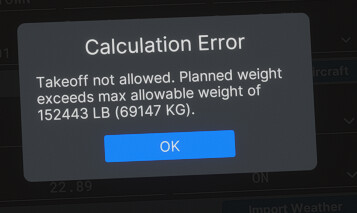
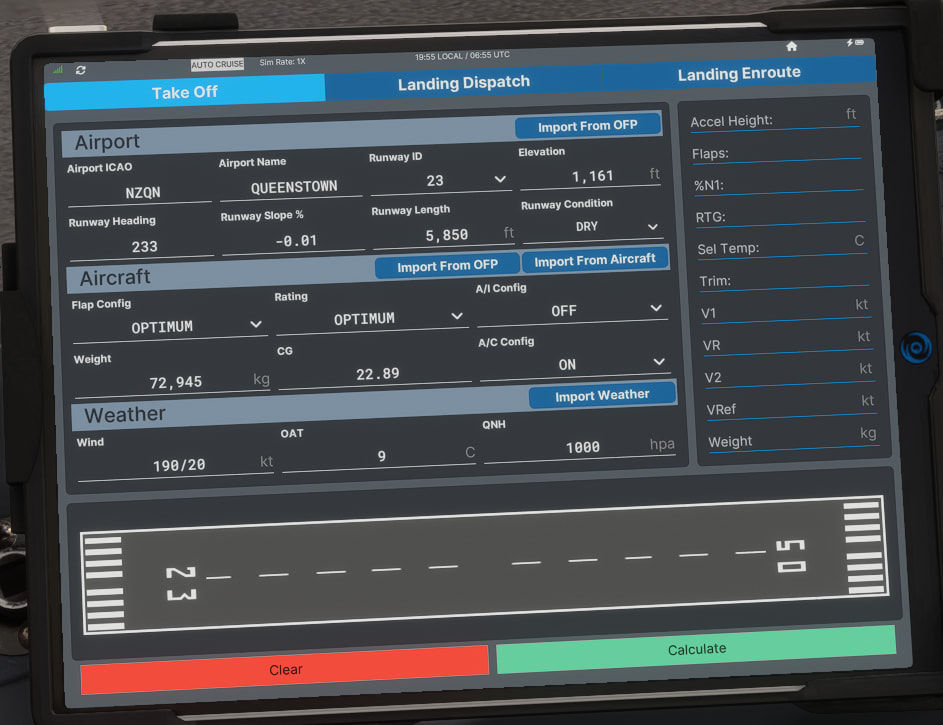
Ive tried to do flights with the new MSFS 2024 pmdg 737 with simbrief but when I dispatch for a flight, for ex NZQN - YMML it plans weight to be over MTOW.
Ive set all the fuel passenger cargo freight etc values to AUTO so it should respect the mtow but it doesnt. Also ive checked that everything is in KGs including the plane itself. And when i do perf calculator using simbrief even it tells me that im over mtow, which means it knows itself it is overweight. so why is it not planning me less weight then?
SimBrief will not limit your TOW based on takeoff performance considerations. This must be done manually by you.
Real-world companies would not want their software to bump payload automatically, they would want the dispatcher to manually check all possible alternatives before doing so. An automated system is not able to consider all of the alternatives like a human can.
Similarly, SimBrief’s default takeoff performance assumptions might not be optimal. For example, it might assume a worst-case scenario of a wet runway, when in fact the runway might be dry by the time you depart. Or the winds/temperature might become more favorable by the time you actually take off. Or perhaps SimBrief planned a suboptimal/shorter runway due to local procedures, but there is a longer one that might be available on request with ATC.
There are just too many variables that an automated system cannot consider. And there are too many other workarounds that could solve the problem. Not only bumping payload but also taking less extra fuel, choosing a closer alternate, cruising at a slower speed (which reduces the required fuel load), for example. All of these options should be explored before needlessly bumping payload.
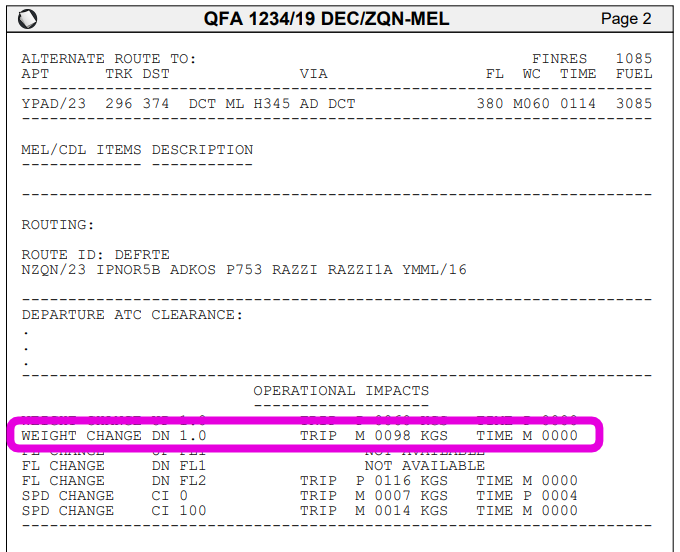
And also note, that even if you do end up with a load restriction due to takeoff performance, normally you would not need to generate a new flight plan for this. Simply remove the weight through your aircraft’s payload editor or EFB. You can keep the original flight plan, the fuel burns will not change significantly for only a 1-2 ton difference, and this is exactly what the “Operational Impacts” section is meant to be used for:
As you can see, you will burn only 98 kg less if you reduce your weight by 1,000 kg.
If you really want to resolve such issues before generating your flight plan, you can use the “Briefing Preview” function and Takeoff Performance widget directly from the Flight Options page to calculate these things before generating the final OFP. Using that information you could limit your payload manually, if you so choose:
When I am running a flight plan, say from anywhere to anywhere, I have already done that. I’ve messed with the temps, bleeds, V1 speeds, runway conditions; for this 757PCF from KSNA to KEWR I can lift 212.9 and nothing more. The airplane structural limit is 250.0, but there is almost no way you’d ever be able to lift that out of KSNA.
I think what he is going at is it’d be nice to have a max payload setting; I know I can lift 212.9 in this situation; drop this 212.9 into a maximum takeoff weight box (or keep it behind the scenes) then autocalc whatever MZFW I can lift, respecting 212.9, with my alternates, extra fuels, and so on.
WE have an AutoWeight feature in our system at work that does exactly that; I have set my most limiting MTOW, so what I want without, gasp, doing a ton of mental math is what ZFW can I lift with my route, alternates, extra fuels and so on, respecting in this case, the 212.9. It is very handy when I know I will be limited by runway length, like off of KSNA.
But if i have all my values set to AUTO doesnt that means Simbrief is my dispatcher and it is up to Simbrief to manage those values and respect the MTOW?
Hi Tim, it doesn’t unconditionally plan wet runways. But in your case I think it was due to the METAR/TAF being a bit outdated (LIPB might not issue TAF/METARs at night).
I tried generating an hour or so after you when a new METAR/TAF had been issued, and it planned a dry runway.