Been a MSFS 2020 user for many years, was updating PMDG products and was getting this error. Uninstalled Navigraph entirely, still same issue on every package.

Please try:
- Restart machine
- Disable Antivirus and Firewall.
- Uninstall/download/reinstall/run the latest Navigraph Hub.
Any joy?
Cheers
Ian
@Ian , thanks for the reply.
So I’ve restarted, uninstalled, made sure the %appdata% (navigraph-hub) folder is completely gone, reinstalled, ran as admin.
No joy.

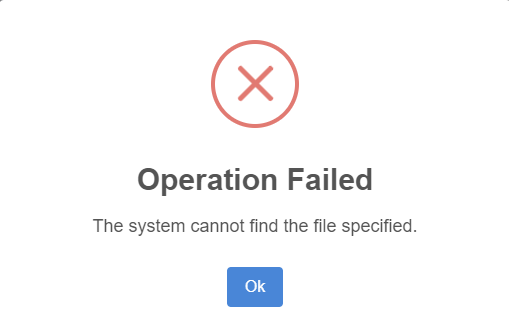
Please check you have disabled Antivirus and Firewall.
Also, what has changed on your system since Hub was working, e.g. Windows updates, AV updates?
Cheers
Ian
I’m not running any AV or Firewall on this PC.
The only updates made to windows 11 were the following:
Cumulative Update for Windows 11 Insider Preview (KB5064089) (26120.5770)
Cumulative Update for Windows 11 Insider Preview (KB5065779) (26120.5790)
Cumulative Update for Windows 11 Insider Preview (KB5065782) (26120.6682)
In the meantime is there any manual way to update things with HUB not working? I’d really like to get current and flying again.

Sorry, may I ask a question: Don’t you use any add-on-linker software? Is this assumption correct?
Where is your MSFS installed?
Cheers
Richard
1 Like
I’m not quite sure what you mean by add-on-linker, but I have the PMDG OC3 software to maintain their software, but besides that I have no other addons.
My MSFS instance is from Steam E:\Program Files (x86)\Steam\steamapps
@NAVData , I’ve gone so far as to completely un-install MSFS2020 and re-install it.
Nothing works. As I mentioned earlier, is there any manual work around because it seems as though Navigraph Hub is completely borked on my system for some unknown reason. I can’t find a debug mode, or any log with meaningful outputs so it’s very hard to troubleshoot at this point. The fact I’m getting multiple errors is what is most troubling.
There is no manual update facility. You might try using Windows Restore Point to revert your system to a state before the recent updates, when you mentioned the Hub was working.
Cheers
Ian
Forgive me, and I’ll ask again. Is there no way to turn on a debugging mode or advanced logging to see what the problem is here? I pay for a subscription and I’d like to resolve this. Rolling back windows updates isn’t a viable solution.
I guess if I can’t get resolution I’ll be forced to terminate my subscription. I’ve exhausted all normal troubleshooting steps and need to understand why I’m getting 3 separate error messages, all of which have no meaningful explanation of what the problem is.
Rolling back was intended to see what the issue might be.
We shall investigate further.
Ian
Hi @BrandonKC
We just released a new update of Hub, v1.2.19 that hopefully should resolve the problem.
Kind regards,
Markus
1 Like
@m4rkus , thanks. The issue was resolved.
This topic was automatically closed 2 days after the last reply. New replies are no longer allowed.