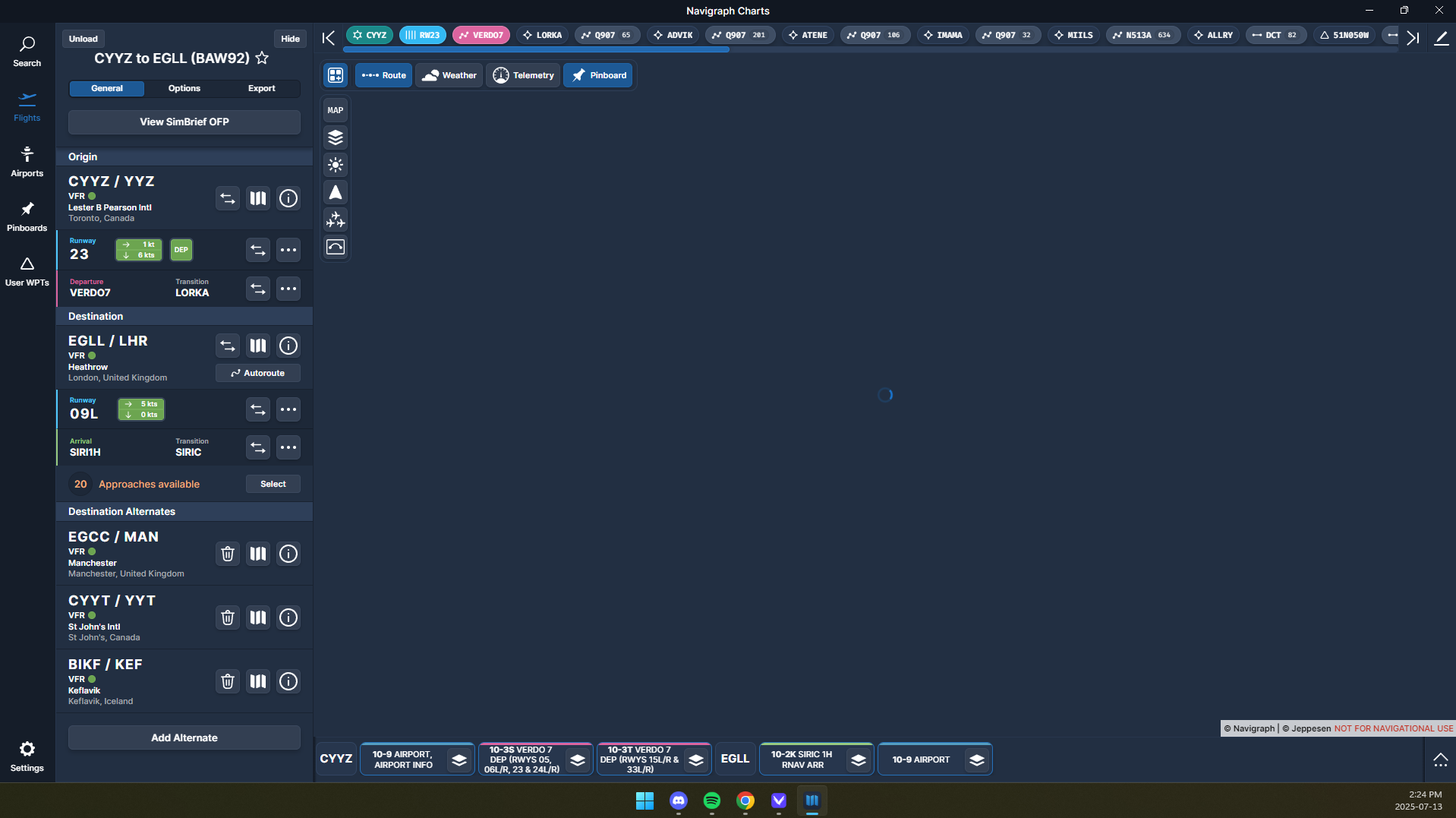
Map not loading?

Maps and airways do not load at all, it keeps “loading”. Everything else works though.

This is an issue on Desktop, I tried on browser and I get the same issue (I even cleared my cache/cookies it did not help).

The app is up to date, I reinstalled it.

Though, on the mobile app it works perfectly…

Hi…,

Welcome.

Make sure your Windows time is synched to local time.

Try connecting via a Mobile hotspot to see if there is a network issue.

Cheers
Ian

Hi,

My PC is synched to local time, and unfortunately I cannot connect via a Mobile hotspot because I have a tower PC that is connected with an ethernet cable.

I think this might be a network issue, but how would I fix that?

Ini A350 map does not load so that might indicate a network issue.

Worked once for some reason, but apart from that one time the chart map never loads. I’d be happy if someone could help me out with this network issue as I pay for a service that is not working on my PC :slight_smile: .

Thank you!

  • Try disabling any Antivirus and Firewall.
  • Power down/up your Router incase there is an issue there.
  • Look at changes you may have made to your system since it was working e.g. Windows updates, new software installed etc.

Cheers
Ian

Hi thanks for the help, I fixed it looking at another thread that mentioned resetting the Windows Firewall.

Thank you for your time I truly appreciate it.

Cheers

You are welcome. Glad it is resolved.

Happy flying.

Ian

1 Like

This topic was automatically closed 2 days after the last reply. New replies are no longer allowed.