Hi guys/women,
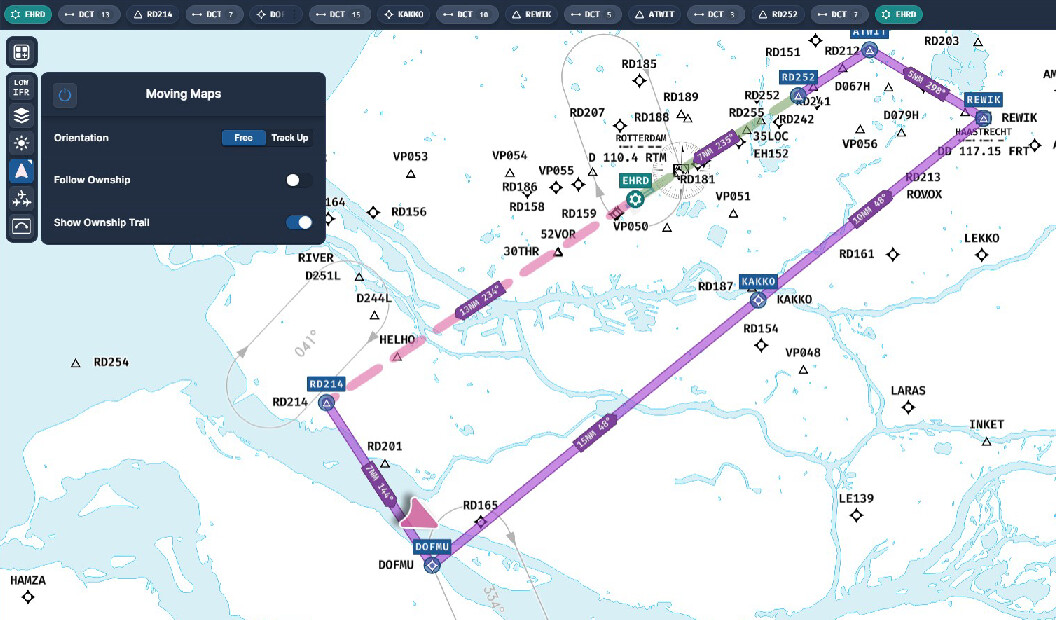
When I fly a circuit over my city, I don’t see any trail.
It doesn’t matter whether I create a flight plan or not.
Does the visibility of the trail depend on which map I’m using?
Can you give me some tips on where to look?
Hello,
Welcome to the forum.
Firstly, please clear your browsers cache. In your browser settings, go to:
- Privacy & Security
- Clear this saved data for the last week.
Once you have confirmed the cleared browser cache, make sure you are logged into Simlink and Charts and restart your flight.
Let us know once you have done this.
Thanks,


Thank you very much. I have forwarded this to our developers.
I tried Barcelona and its now working.
So I’m confused now.
Whats the procedure ?
First start MSFS and then Navigraph ?

Hi there,
After discussing this with our developers, it is an problem on our end, one which will be addressed with the next release of Charts.
For the most part, the ownship trail will work but the issue is on our side.
Apologies for the disruption.
Tnx for the super quick response.
No hard feeding.
Have a nice weekend
Thanks a lot, you have a nice weekend too! 
Hi Gordon,
This might not be the right way to go, but when you’re in contact with the developers again, could you please ask if we can choose the position symbol on the map ourselves in the future, for example, an airplane symbol with a shadow instead of that purple arrow?
I would really recommend you post your idea on our wishlist. We groom this section and along with that, it has a voting mechanic so we can see ideas popularity
Thanks!
Hi again,
For the sake of clarity with your original question, could you try having Simlink open and logged into before you run the flight simulator and before you view the aircrafts position on Navigraph charts.
It might be interesting to see whether this relates to a specific order.
Thanks!
I let you know…………..
I have to admit, it’s been working pretty well lately. So far, it’s consistently showing the track.
I’m just still figuring out how to enter waypoints.
Sometimes you can click a waypoint and specify whether it should be inserted before or after another one. But I can’t always do that.
I first specify the departure airport and then the arrival airport.
But then sometimes I can click a waypoint and sometimes I can’t.
I only have the airway disabled on the map layer.
So I’m curious what I’m doing wrong.
Not really a big problem; maybe I’ll figure it out by chance.
Otherwise, Navigraph is a great product.
Not only because of the graphical interface, but also because of your support.
And what I also love is that you can use the right mouse button to display the map in a 3D format, just like Google Maps.
Combined with an airplane icon instead of that purple arrow, it looks absolutely fantastic.
You have let us know, yes but we need to be absolutely sure and confirm the load order just so we can try to replicate the issue on our end.
Regarding waypoints, on the top bar of Charts, you will see a textual output of your flight plan. If you click on the tree dots next to a waypoint, you will have the option to remove it. You can, however, modify a given waypoint on the map by clicking and dragging it to another fix/waypoint. If you want to add an entirely new waypoint, click and drag between the route and place it down on a known fix to create that new waypoint. Conversely, you can click the little pen on the far right of the top bar to manually type the fix name and amend your flight plan that way too.
Thanks a lot for your kind words! It is threads like these that allow us to improve these products. The airplane icon is something we’re looking into with our UX/UI people 
Typing a waypoint manually in the edit bar works great.
I’ve only been a customer for a short time, so I still have a lot to figure out.
The only thing I’m missing is a button to specify a starting position (Home position)
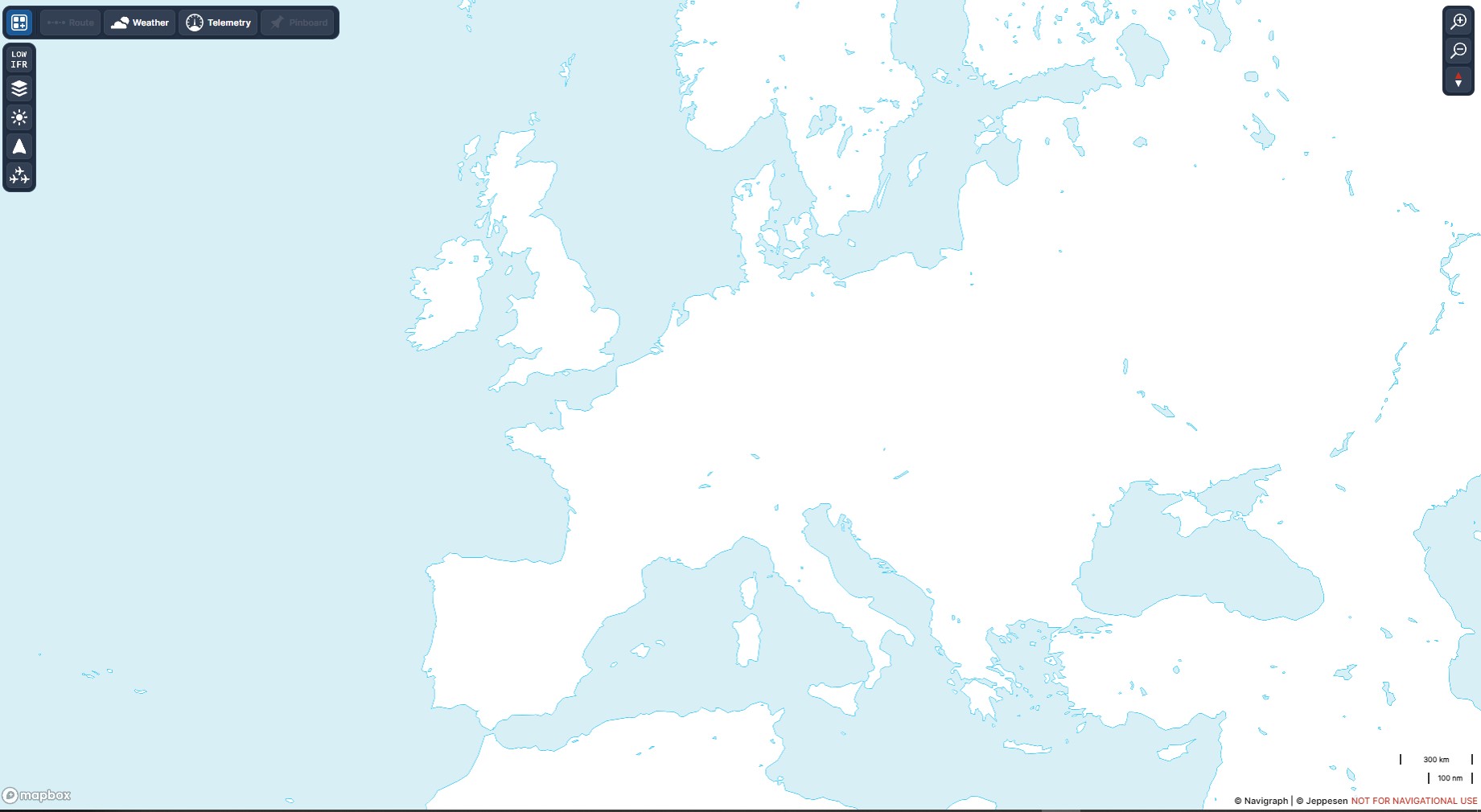
when starting Charts.
I only fly in Europe, and I’d like to have this as my starting position, for example, and double-click the map to project that point directly into the center of the screen.
Just like with LittleNavmap. 
About the startsequence, This afternoon I will make a flight between the greek islands and figger it out.
I understand that you want to be sure about this before creating a topic.
You should have a navigation bar on the left side of Charts, #1 in the screencap below
- Relates to IFR Low/High altitude navigation. This button also includes other options like VFR, Satellite, World Maps etc etc
- This button allows your to configure how you would like to set the map up, customize elements like adding/removing cities, fixes, airways etc.
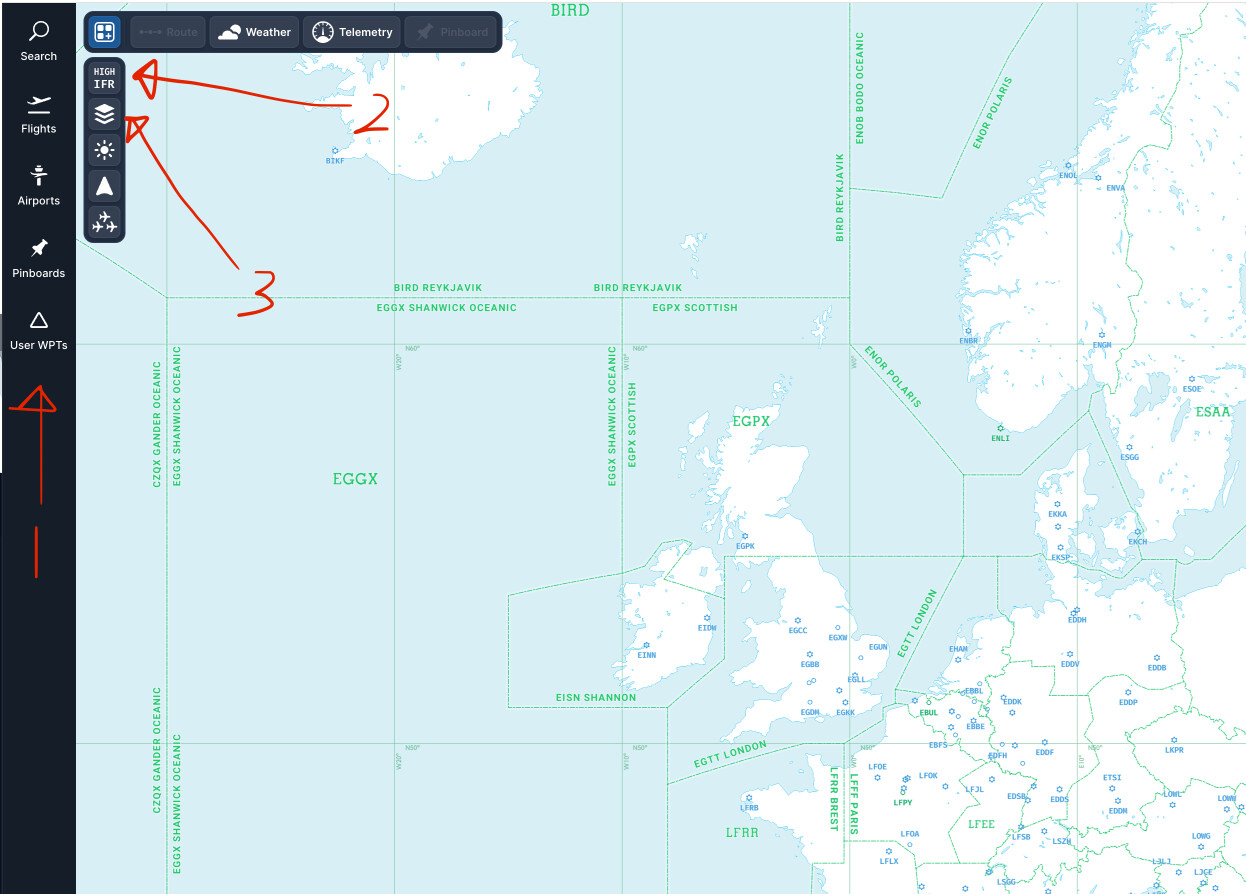
Yes, I know that, but this button only remembers the map settings, not the starting position of the map. Like this in LNM:

I also noticed:
I have these turned on in the settings.

But when I start MSFS and import a flight plan, they’re simply turned off and I have to turn them back on.

A home location is not possible right now, it is a limitation we currently have with Charts along with the ownship and ownship trail defaulted to “off”.
This is something we are looking into, though.
Creating an own WPT is a ½ solution but it works for now 
I missed your third arrow on the left.
Going to the optician this afternoon. 

But an own WPT keeps only the location but not the zoomfactor 