In SimBrief, once you have created the flight plan with appropriate A320, in the latest version Fenix, in EFB load SimBrief Flightplan , then in MCDU, INIT REQUEST, and load flight plan.
Thanks for your response, I appreciate it. However, I’m still stuck on the Formats page. There is no button to push to take me back to the SimBrief main page. I am unable to navigate away from the Formats page. How do I get back to my main page?
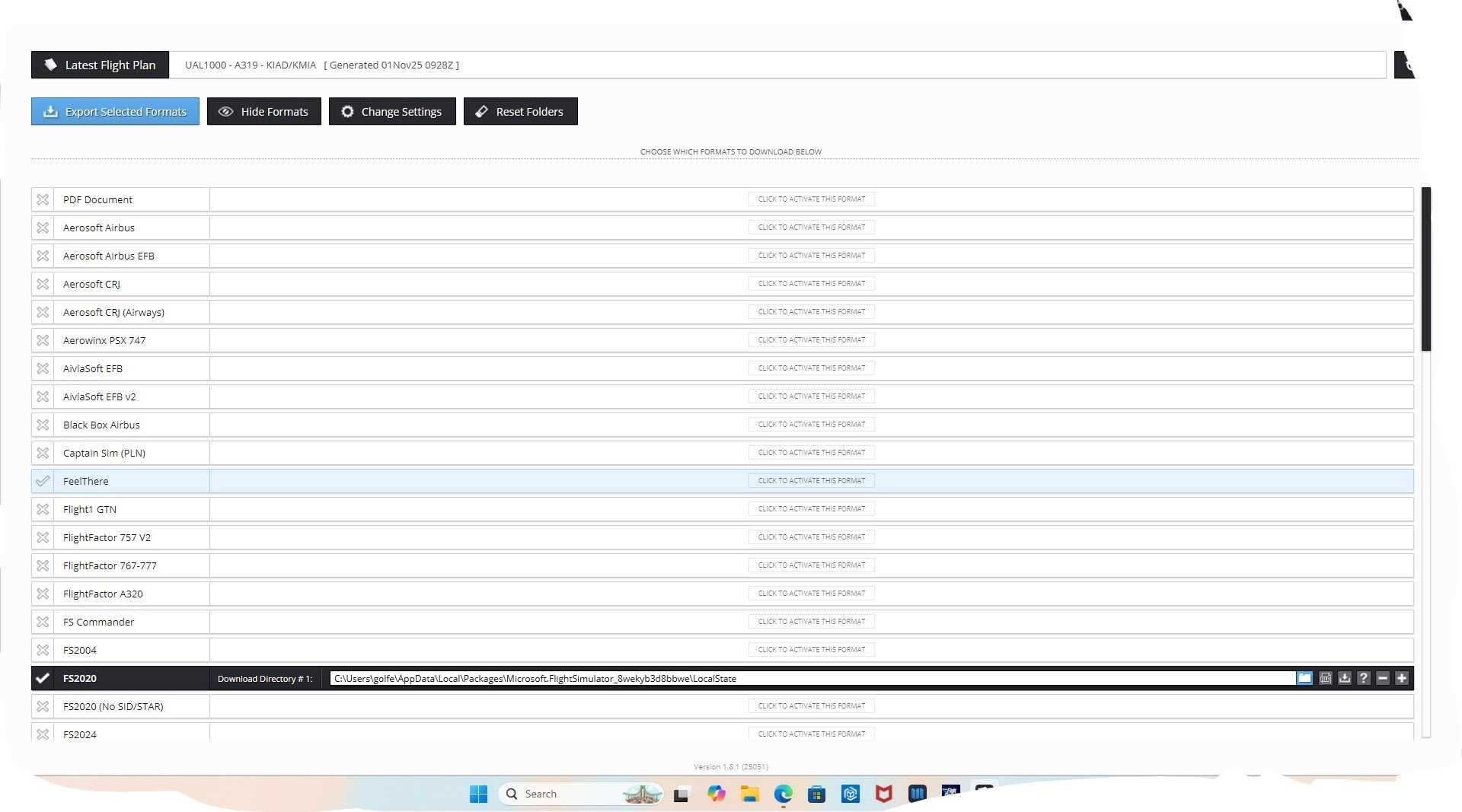
Your screenshot shows the SimBrief Downloader, a handy tool for automating the download of generated SimBrief flight plans into various aircraft formats.
However, to load your flight plan into the Fenix A320 mentioned above, you only need to create, edit, and, importantly, Generate the flight plan at SimBrief - Dispatch .
Then, in the Fenix EFB, load SimBrief Flightplan; then, in MCDU, INIT, INIT REQUEST, SEC F-PLN, AOC F-PLN INSERT, ACTIVATE SEC to load the flight plan.
I created the flight plan, hit Generate button, and saved it. That screen was what popped up and cannot get beyond, forward or backward from it. I’m stuck on it. How do I get back to my main page from the format page? I selected MSFS2020 as the plan format and nothing happened. That’s my problem, I’m stuck on the format page and can’t get anywhere else.
Thanks for your patience and help. I appreciate it beyond words. I’ve done everything short of uninstalling SimBrief. Before contacting you I had done that step before but ended right back to the current problem. Does uninstall delete any legacy files as part of the uninstall and reinstall with a clean system? As I just mentioned uninstalling, downloading, and reinstalling left me in the same state as before. But I’ll try again. I really want to use it for the aircraft passenger, cargo, fuel and VSpeed load functions. I can find a flight plan if need be.
Thanks again for your help. Having been in the systems and software fields for my career I can understand the frustration of trouble shooting.
Dan
| Ian Senior Support Consultant & Moderator November 3 |
| - |
HI Dan,
Hmmm…,
For now, in SimBrief Downloader Settings, disable:
Run this program automatically at startup
Minimize to tray when closing the main Window
Show a notification when minimizing to tray
Press Save and Close.
In Show Hidden Icons near Systray Windows Time,
Right-Mouse on the SimBrief icon and choose Exit.
You may need to restart the machine.
If the issue persists, try Uninstalling SimBrief Downloader.


 |
|