Updated to newest AIRAC this morning, but updated STARs going into OTHH don’t appear in my MCDU on FBW A320. Is this a FBW issue or am I needing to do something else?
Ones specifically I am seeing in Navigraph are HAYA1J, HAYA2L, and HAYA2R. In my MCDU, I only see HAYA1L, HAYA1R, and HAYA1V.
I haven’t checked any others, as the HAYYAA transition was the one I wanted for this particular flight.
Here is my flight plan:
LEMD/36L NAND3N NANDO M871 LASPO Z224 NINES M134 LUXUR UM134 ANB UA411 MORJA DCT SONAK DCT DINUX DCT ARLOS UN4 SALUN N705 BOPIX N710 TAKRI M720 FYM M872 WEJ L604 KFA M691 LADNA N318 HAYYA HAYA1J OTHH/34R
For cycle 2512, OTHH has the following arrivals:
- HAYA1F, HAYA1K, HAYA1P and HAYA2H
- available for runways 16L or 16R
- HAYA1J, HAYA2L, HAYA2R and HAYA2V
- available for runways 34L or 34R
If you still have HAYA1L, HAYA1R, and HAYA1V it does look like your data is not up to date for some reason.
Are you using Microsoft Flight Simulator 2020 or 2024?
Do you have a custom scenery pack installed for OTHH? If so, does removing the scenery pack and relaunching the sim allow the new arrivals to become available?
Regards,
Tim
I’m in 2024. No custom scenery or airports. When this flight is over, I am going to try restarting. My charts will not link up either, so I am having some kind of issue.
If you still cannot find the arrivals, and you check what arrivals are available in e.g. the default Cessna 172 and ideally provide screenshots?
Perhaps a screenshot of your Navigraph Hub might help as well.
Regards,
Tim
Thanks for all your help. It seems that when I updated the AIRAC in the Hub, the process didn’t take. I just went back into it and it said it still needed updated. I did that and everything is good now. Not sure why the update didn’t go through earlier today when I did it, but it’s all good now. Again…appreciate the help.
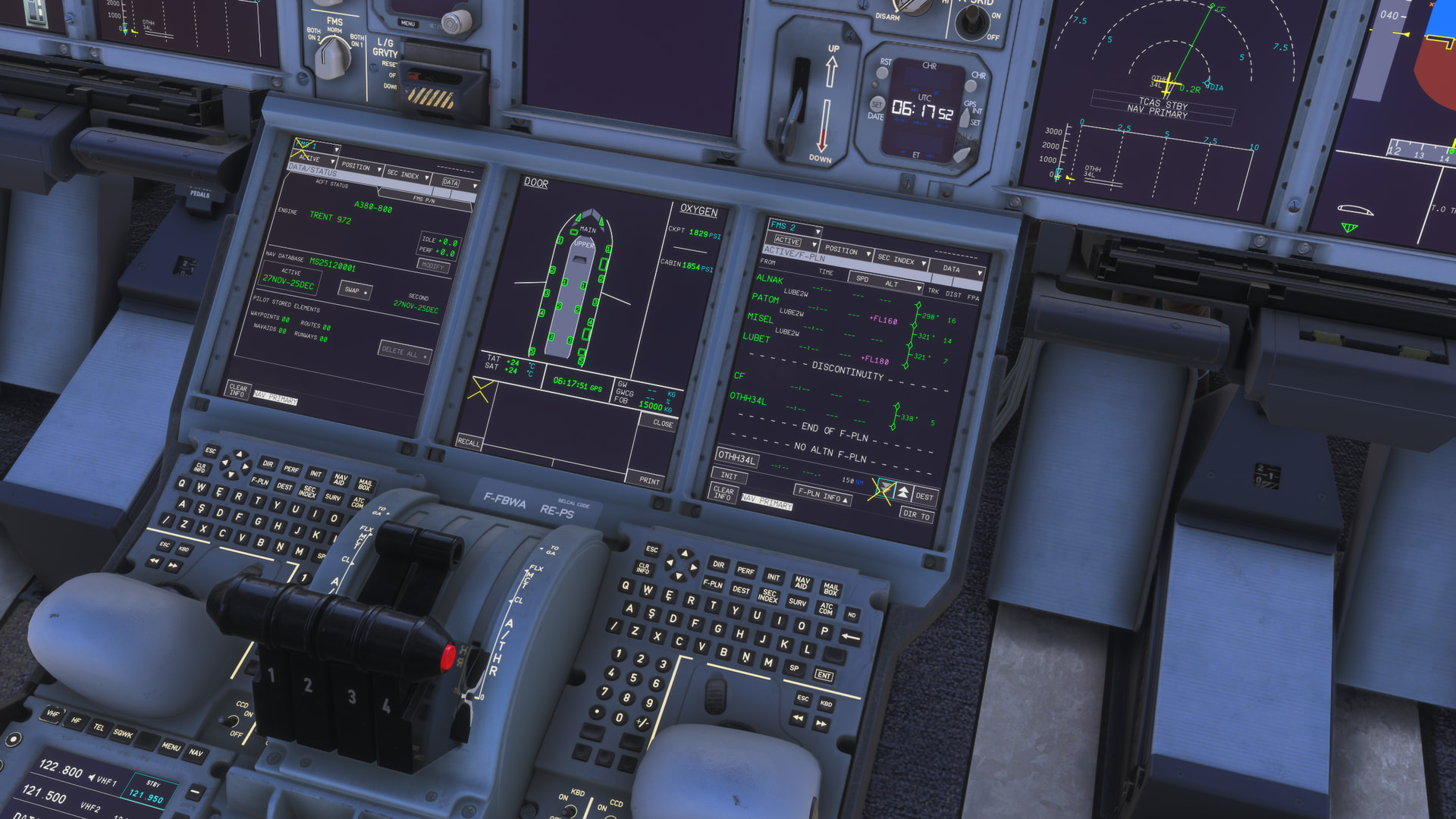
Hi I’ve got a third party add-on for OTHH, and I can’t select any SID/STAR on arrivals procedures only (departures work fine), with the FBW A380 do you have any idea why?
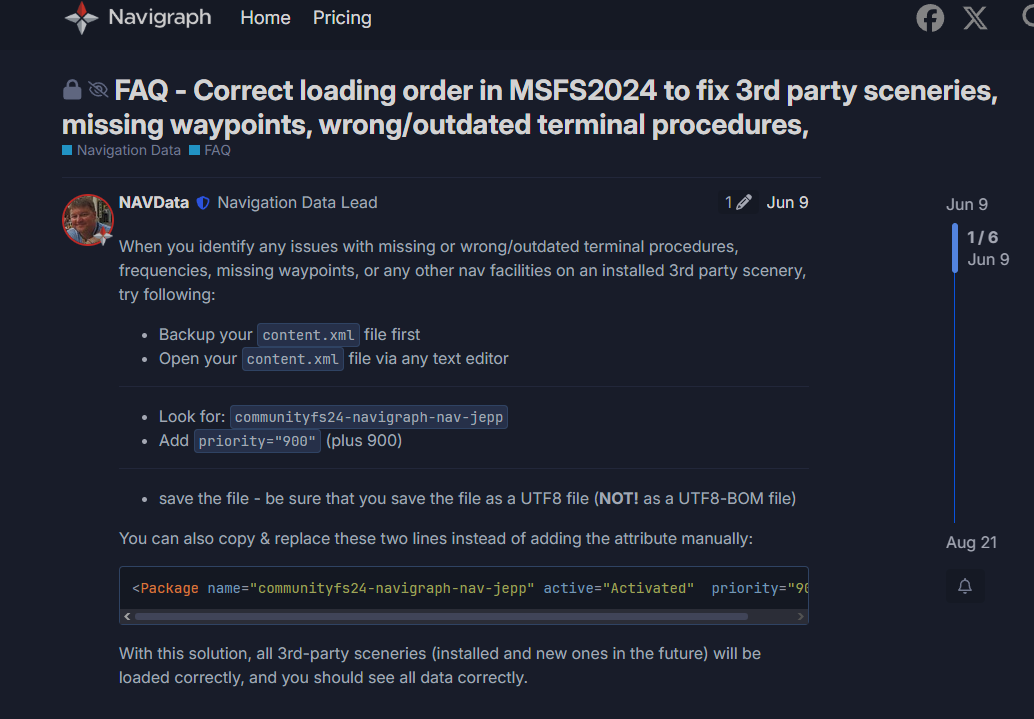
By the way, I have deleted my content.xml file and reinstalled the charts already….
and I have tried this to… but nothing seems to works for me….
Hi,
These instructions are no longer valid and are not listed on our FAQ page.
This is the latest and the only valid FAQ on such topics:
FAQ - MSFS2024 (SU3 and above) - airport, procedure, waypoint, 3rd party & flightplan import issues
My recommendation is to determine whether this is an aircraft or scenery issue, to test it in the stock G1000.
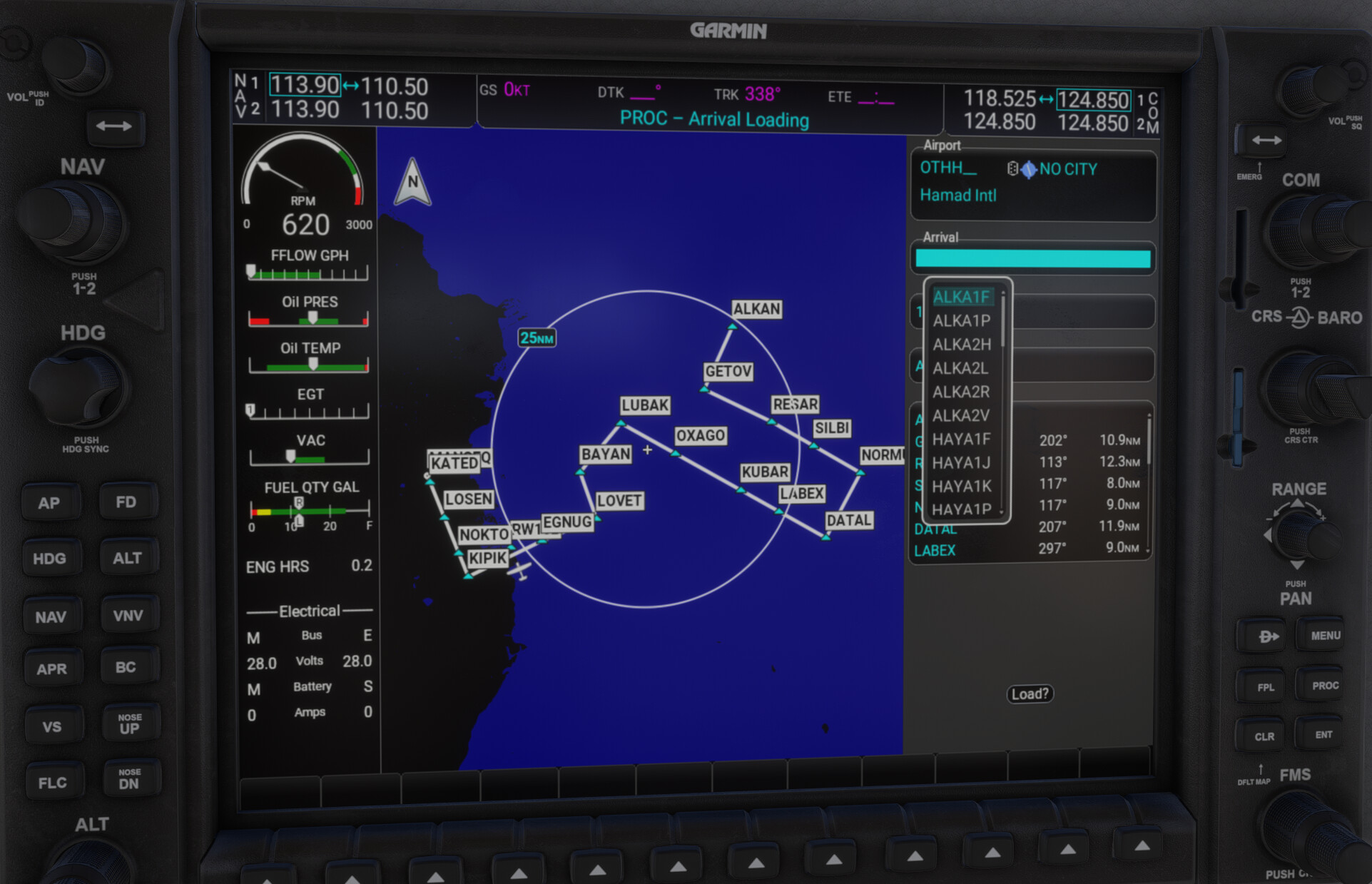
MSFS 2024 1.5.27.0 - stock OTHH scenery - G1000 - AIRAC 2512 installed:
So in other words, the STARs are not missing as you see. As I mentioned earlier, it’s either an add-on issue or a scenery issue. Remove the third-party scenery and try it again (with the G1000 and the FBW A380).
I´m pretty sure that you use a not 100% SU3 compatible scenery package.
Cheers,
Richard
Hello, thank you for your answer.
I did check with another plane : the A339 from Headwind simulation (Beta version as well)
and everything works fine… I should have post this question on the FBW FAQ
Thanks again for your time
Cheers,