Hi all, I noticed that in SimBrief, for the same airport and metar, the wind components are different from wind components calculated in Navigraph Charts. Those of Navigraph are the same calculated with my CX-3 Flight Computer, so I think the issue is in SimBrief. Regards.
Hi, please give a specific example with screenshots if possible so we can double check it on our end.
Best regards,
In this moment the metar at KOQU is this:
METAR KOQU 030915Z AUTO 32016G22KT 10SM SCT019 BKN048 OVC065 A2973 RMK AO2
In SimBrief these are the wind components calculated for RWY 34 in the FPL interface and in aircraft’s performance tool:

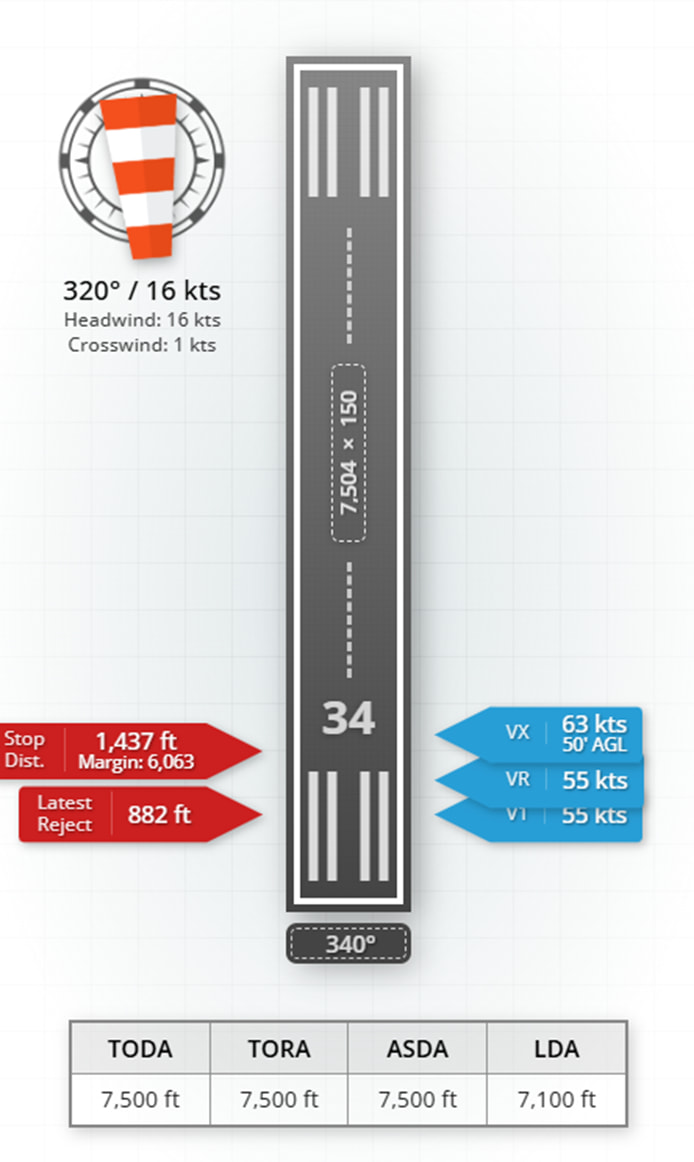
In these cases the values are the same: headwind 16 kts and crosswind 1 kts.
In Navigraph Charts, for the same metar, there are different values:


As you can see here we have: headwind 15 kts, but crosswind is 5 kts.
I have calculated the wind components also with E6BX Flight Calculator (in this case I don’t use the gust information, as well as SimBrief and Navigraph):

This confirm that the correct values are those of Navigraph and not those of SimBrief.
Thank you.
In the E6BX Flight Calculator if I use the wind components tool (to be more precise with the gust) the results are these:
If I apply the full gust:

If I apply the gust at 50%:

This just to confirm that in the above screenshot of Navigraph and SimBrief the gust is not calculated by the wind components.
Regards.
It would appear that NG charts is using the magnetic runway heading and not applying the magnetic variation when calculating against the metar string which uses a true reference.
I tryed to switch the wind in magnetic in the performance tool of SimBrief. In this case the results are the same of E6BX Flight Calculator.
If I leave the wind in “true” the results are wrong in SimBrief.
Navigraph use the wind with true direction and the results are the same of E6BX.
How does E6BX know the true runway heading for the airport? You cannot enter the runway heading.
The correct figures are 16kt headwind and 1kt crosswind based on both runway and metar using true heading figures.
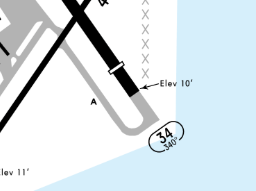
Yes, but the metar is reported as TRUE, spoken winds however are given as magnetic.
This is the answer. @RICMAND , you cannot simply enter the METAR winds into your E6BX tool. These winds are given in true degrees, whereas the runway heading is in magnetic.
To convert true winds to magnetic winds at KOQU, you currently add 15 degrees. So winds of 320 at 16 are converted to 335 at 16.
The SimBrief components are correct, the ones in Charts are not. However, this issue has already been fixed in the upcoming Charts update. 
Best regards,
All clear. Infact the problem was that SimBrief and Navigraph were not aligned. So, in this moment, the correct values are those of Simbrief, correct?
Also, I would like to understand why in the performance calculator of SimBrief if I change the wind from true to magnetic the headwind and crosswond for a runway don’t change (for example, at KOQU where the true and magnetic heading of RWY 34 are the same, if I change the wind from true to magnetic I obtain always the same values):
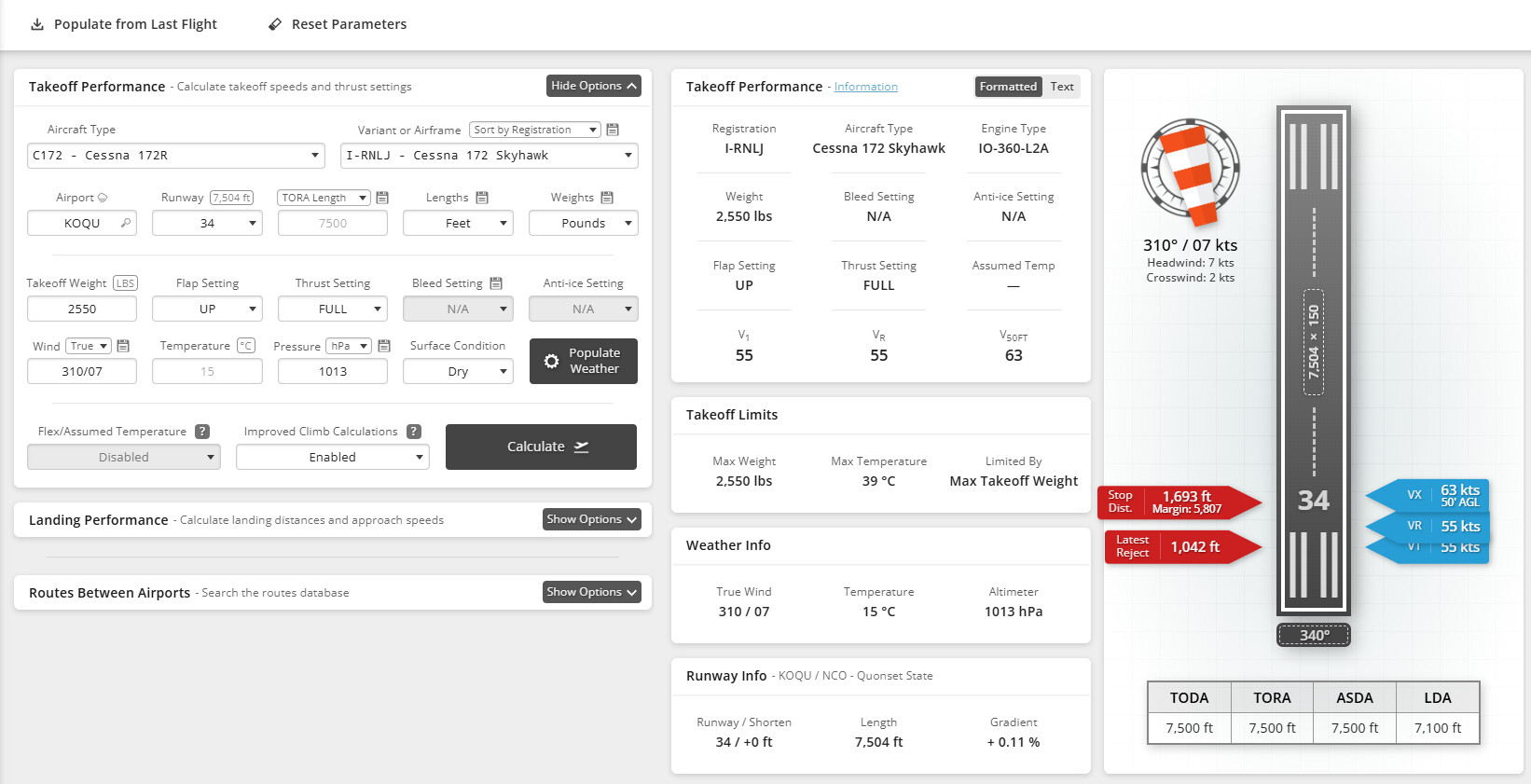


Yes, I know. But, if you look at headwind and crosswind components on the right of the images, the values are always the same. Isn’t it strange? I expected that for the same heading (because at KOQU true and magnetic heading are the same) those values should be different. Regards.
Except that at KOQU, true and magnetic heading are not the same. They differ by 15 degrees.
310 degrees true is the same as 325 degrees magnetic. They are equivalent.
Likewise, the runway heading for runway 34 is 340 degrees magnetic. But it is 325 degrees true (you won’t find this written anywhere on the charts though, as far as I can see).
For more background on Magnetic Declination and the difference between true and magnetic headings, this page might be of interest.
But to summarize and answer your original question, the SimBrief values are correct. Navigraph Charts will be updated to match the SimBrief values soon.
Best regards,
Thank you for explanation. I will look in deep the link you suggest. Regards.