Can not get the Roate MD11 Freighter in the GNS 430 folder in XPlane 12 to update the current waypoints up date


Using Guide to posting Screenshots,
From Addon Mappings, please post a screenshot showing mapping of Rotate MD-11 Freighter. It should be something like:

From Settings, please post a screenshot showing mapping of X-Plane 12. It should be something like:

Cheers
Ian
Tried that from the install drop down Was told on another forum that I need to install it manually into the GNS 430 in XPlane 12. Tried that on the Navigraph FMS manager and from the Md 11 download on Navigraph web page. Then placing the nav-data into the XPlane custom data, GNS 430 folder. What I need is specific instructions on how to install the Rotate MD 11 to update. Thank you
To update the MD11 freighter you select the Rotate MD11 Freighter in Addon List and press Update.
If this is not updating the data correctly, the paths might be incorrectly set. Please provide the screenshots I mentioned above, and I can check.
Cheers
Ian
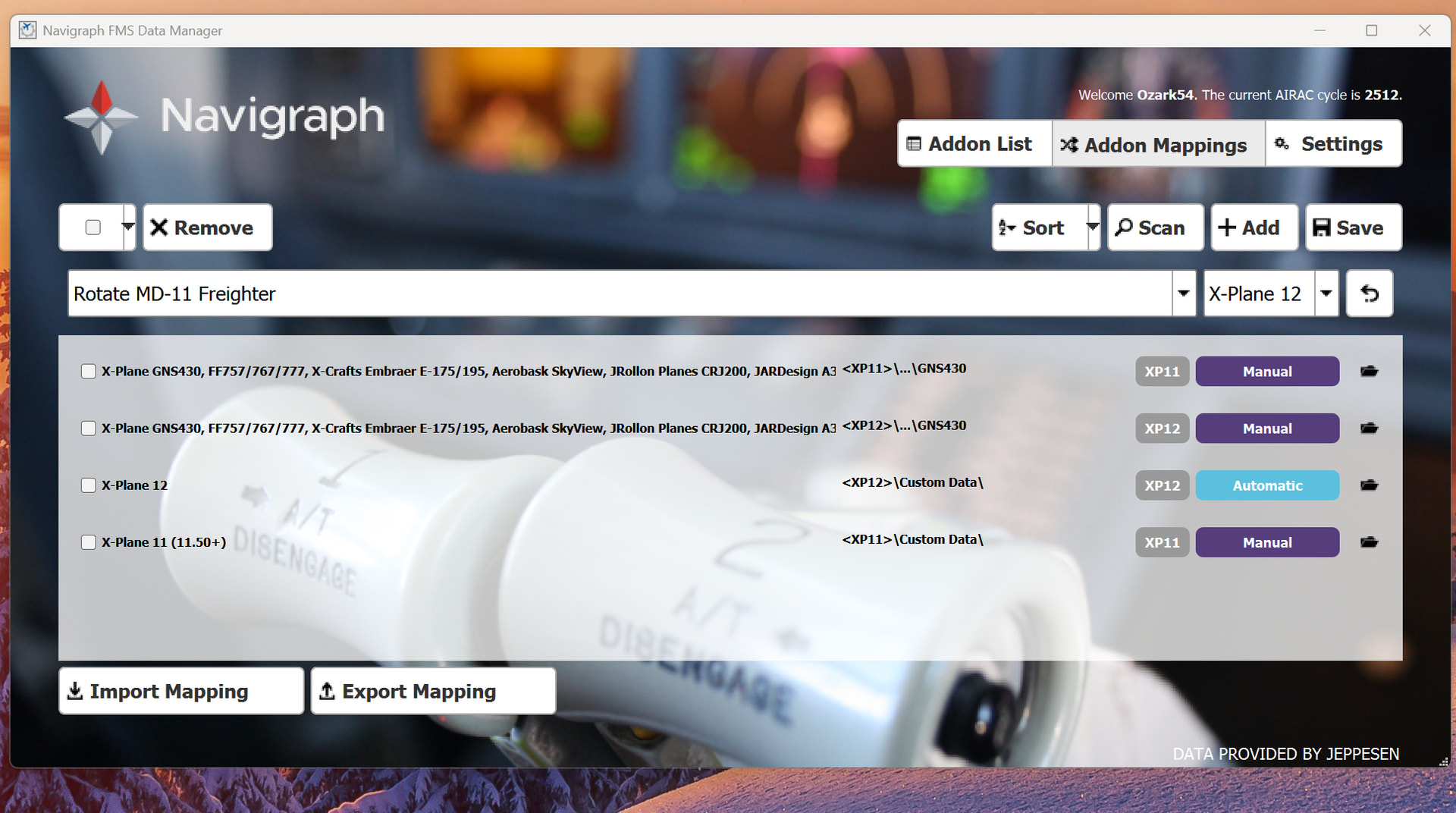
Here are the snapshots that you requested
Photo 1 Navigraph Manager with present setup.
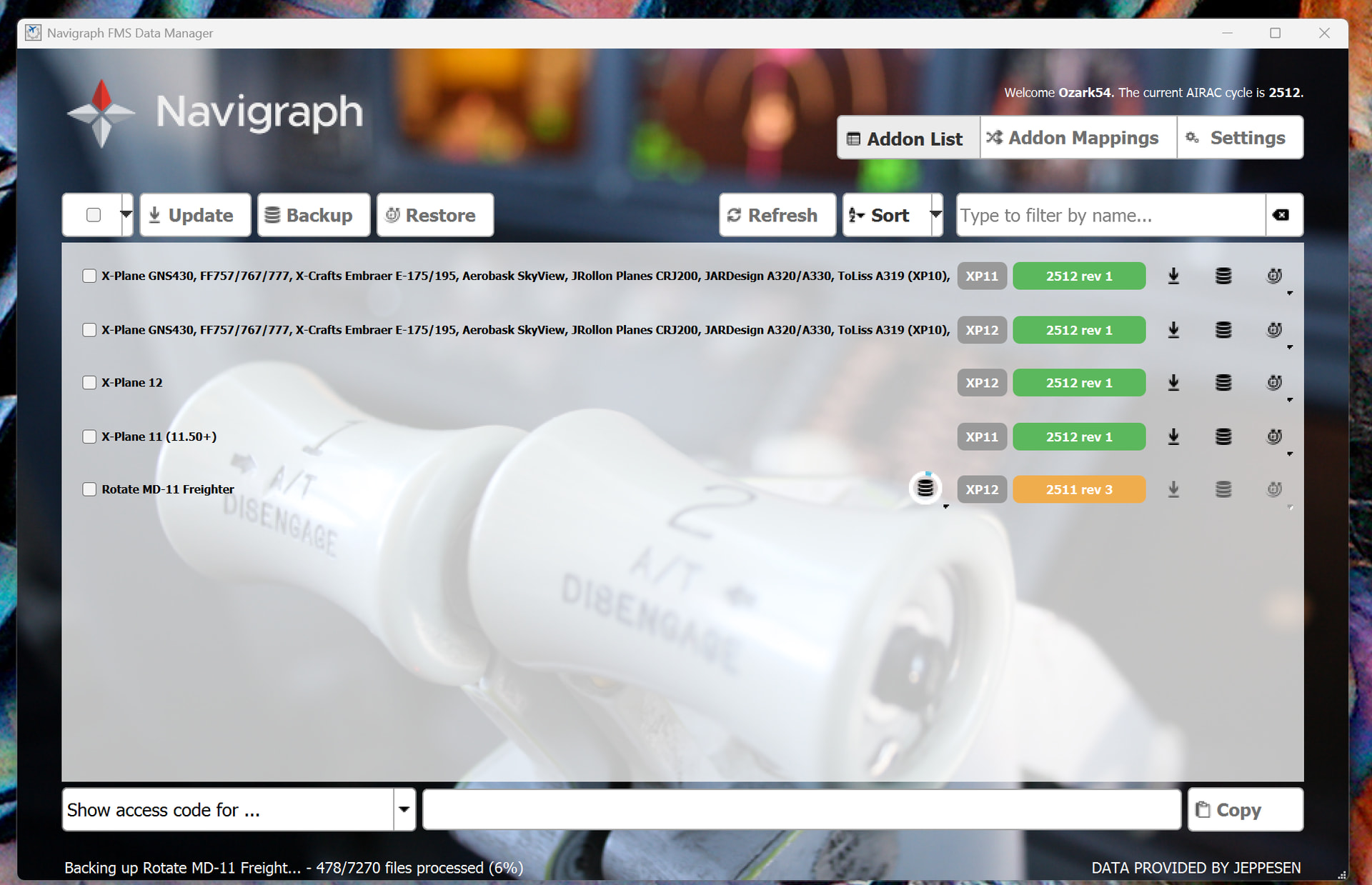
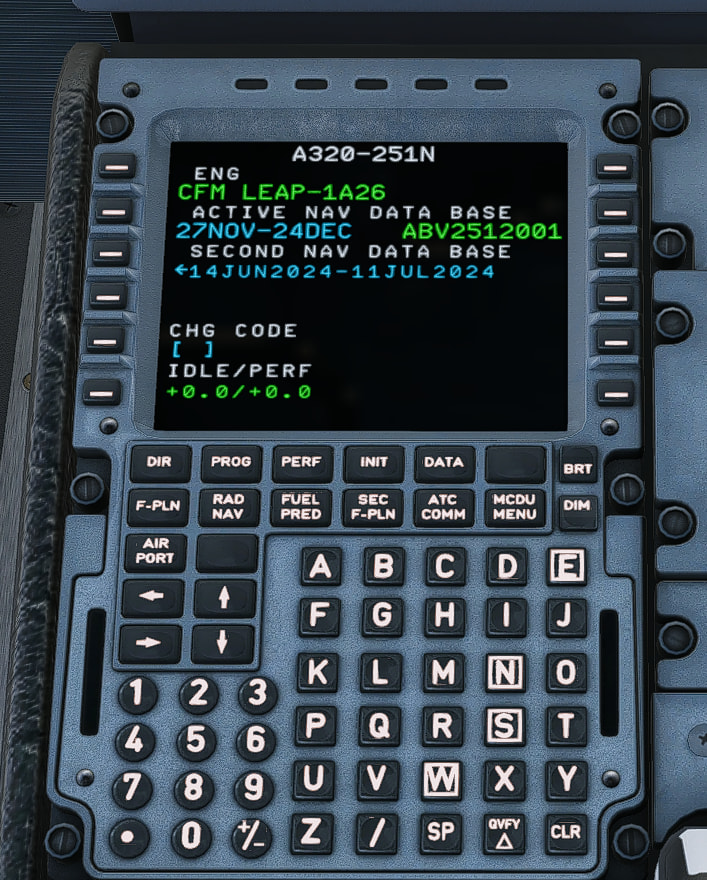
Photo 2 FMS Manager with present uploaded current AIRAC Cycle.

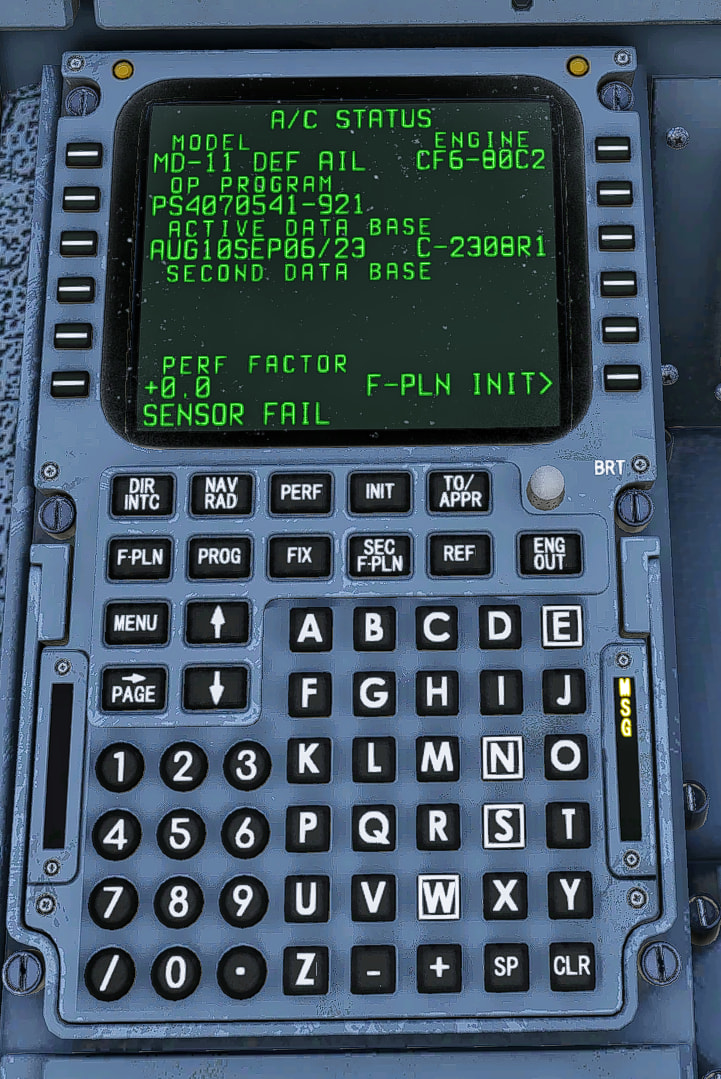
Photo 3 Updated AirAC Cycle of my 320 Airbus. Notice that it has the current AIRAC Cycle the MD11 still did not update.
At this point I have not a clue what is going wrong. Thanks for the help.
In FMS Data Manager you will see 3 tabs across the top.

Click on the Addon Mappings tab, please post a screenshot showing mapping of Rotate MD-11 Freighter. It should be something like:
If you can’t include the full mapping I have in white, then use the black folder to show the folder:

Click on the Settings tab , please post a screenshot showing mapping of X-Plane 12. It should be something like:
Ian

Hi…,
I am not aware of any connection between the Rotate MD11 Freighter and GNS430 mapping.
I suggest a fresh start using exact procedure below:
Please disable any Antivirus and firewall. Uninstall AV if needed.
Use Windows to uninstall FMS Data Manager. Specifically:
- Press Start and open Apps & Features.
- On the right hand side, open Programs and Features.
- Find Navigraph FMS Data Manager in the list, select it, and press the Uninstall button above.

If they exist, delete folders:
c:\ProgramData\Navigraph\FMSClient and c:\Program Files (x86)\Navigraph\FMS Data Manager.
Download and install latest FMS Data Manager
On startup, allow the Scan of your system. This should detect X-Plan 12 and the Rotate MD11 Freighter. Do not change anything. Do not overwrite paths.
If you still can’t update the Rotate MD11 Freighter in Addon List, please post screenshots from the Settings menu showing the X-Plane 12 path. Please confirm this is the path containing X-Plane.exe, maybe show a screenshot for your X-Plane 12 root directory to confirm:

In Addon Mappings, please confirm the mapping is <your X-Plane 12root directory>\Aircraft\Rotate-MD-11F

Cheers
Ian

Got the MD 11 to update. Thanks for all your help.
Kevin
Hi Kevin,
You are welcome. Glad it is resolved.
Happy flying.
Ian