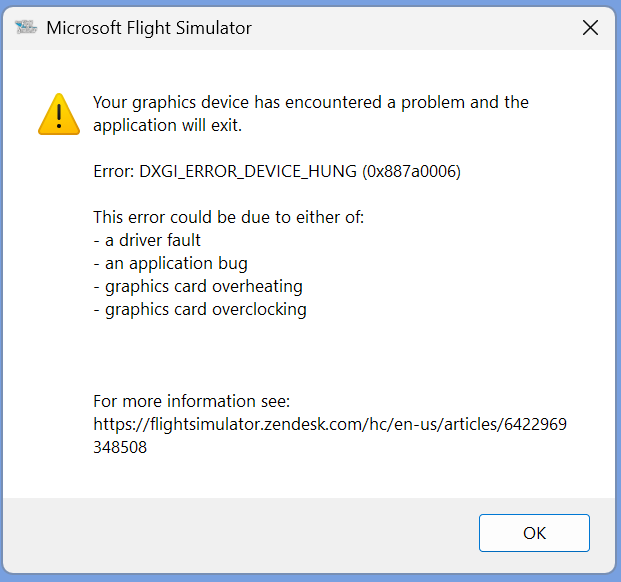
Flight loaded in MSFS and flying route. Switched to Navigraph Charts, click on “Enable Moving Map” and it crashes. Screen goes black, green and error message. MSFS also crashes in the background.
My System Info:
Processor AMD Ryzen 9 7940HS w/ Radeon 780M Graphics 4.00 GHz
Installed RAM 32.0 GB
Windows 11 Pro 24H2 using DX11
I have the latest AMD Adrenalin drivers installed. There seems to be a driver conflict when I switch from MSFS 2020 to Navigraph Charts Desktop and click on the “Enable Moving Map” arrow. That’s when Navigraph and MSFS both crash.
Yes the AMD Adrenalin drivers are the standard drivers for this AMD APU and are selected and installed automatically by AMD’s installer, which also updates the chipset drivers.
I run MSFS 2020 at 1080p in full screen and the AMD driver upscales this to my screen’s 4k resolution. At this upscaled resolution I consistently get good frame rates at approx. 49 fps with the GPU drawing 65w at 99%.
I tried to run MSFS 2020 in windowed mode at 1080p with all AMD features disabled. Navigraph Charts Desktop was running along with Simlink. As soon as MSFS2020 started, both apps crashed. MSFS closes down completely. Navigraph Charts keep running with a blue screen in the main charts window. Switching from IFR back to VFR in Navigraph Charts redraws the screen and Navigraph Charts continues to run as normal.
I have the same processor and the same graphics card and I have the same problem. This problem was solved after the plug-in, but for some features it is more attractive to use Navigraph as a separate application. Is there a way to solve this?