No Wind Barb and other Layers

Hi,
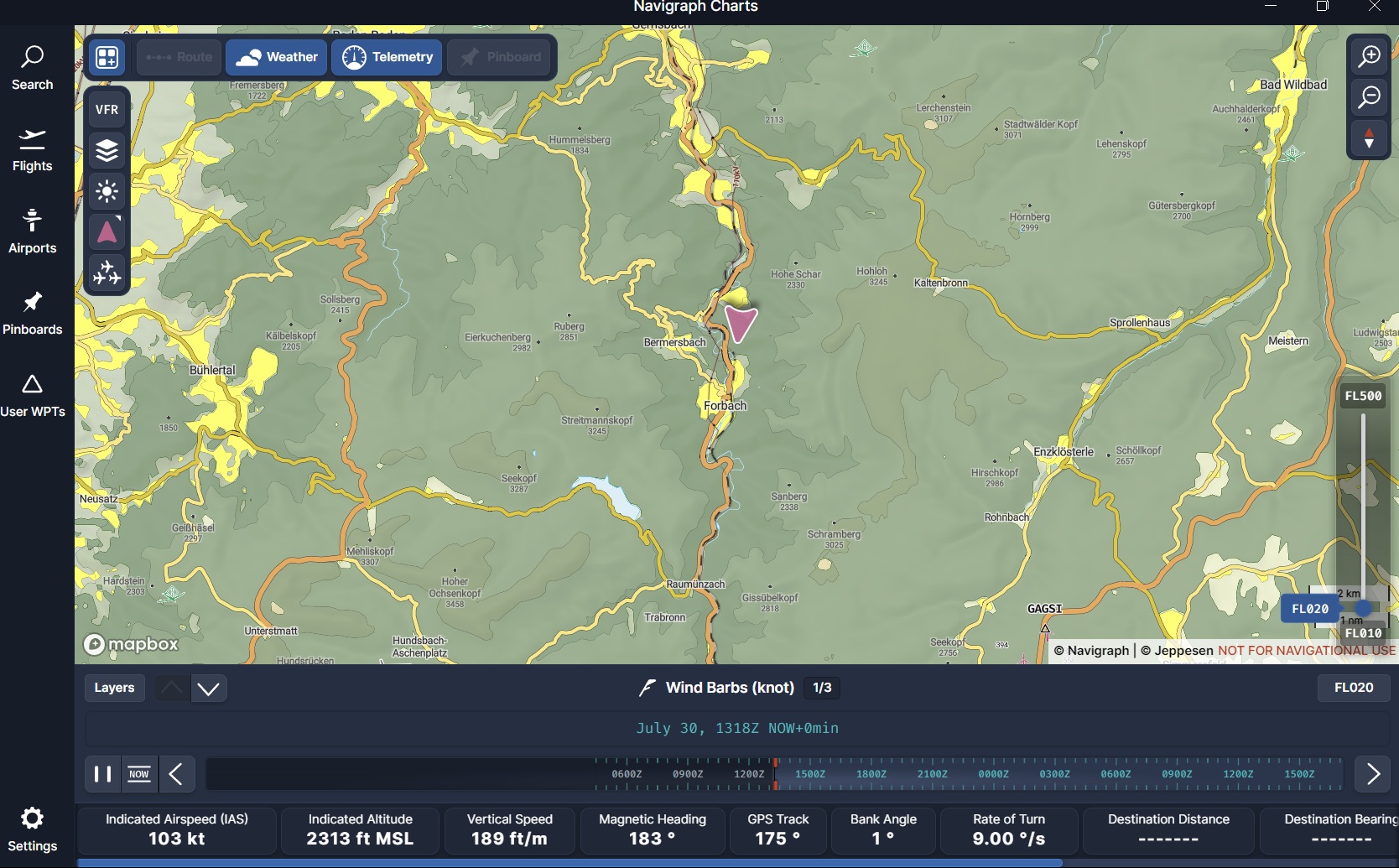
although I’ve tried everything, I can’t get any Wind Barbs, or other layers to show up on the map. And yes, I found a post here, but it just said it was solved!
I am uploading a screenshot to show it.

Well, can’t do that here, too bad.

Operating system: Windows11 Pro
Sim: x-plane 12, current stable version
AIRAC: 2507 rev1

Thanks and regards
Stefan

As mentioned in account support:

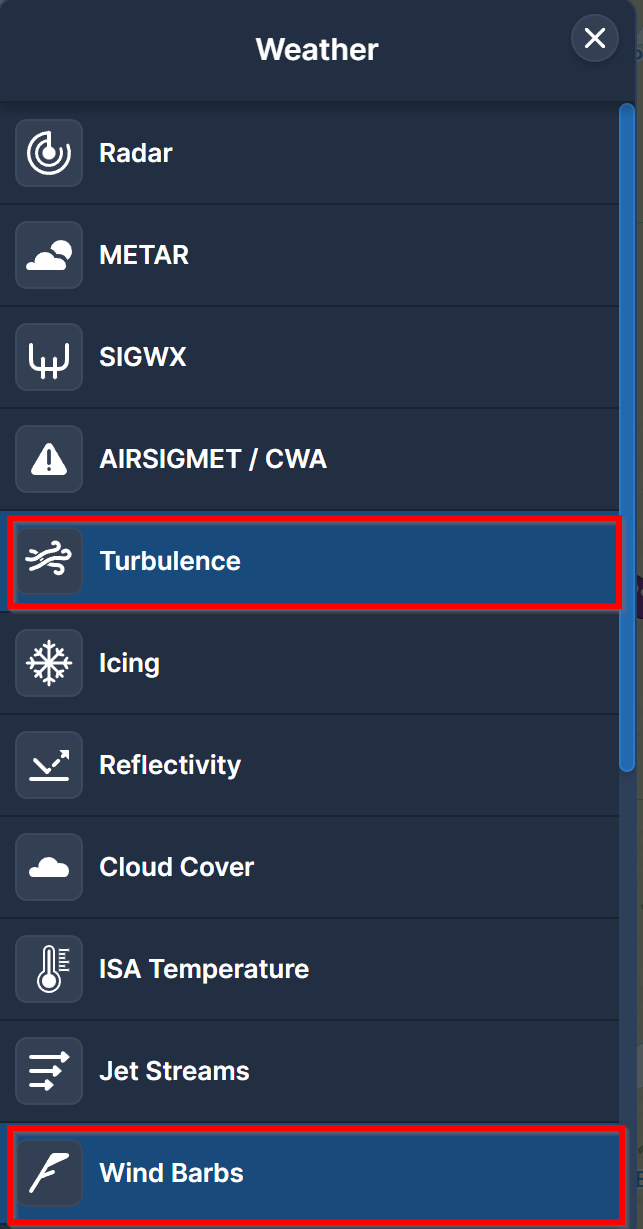
In Charts, select the Weather Icon:

Select the Layers icon at bottom of screen:

image

Select weather options (Turbulence, Wind Barbs etc) as you wish:

To Upload screenshots, please see Guide to posting Screenshots

Cheers

Ian

Hi,
yes, that’s exactly how I did it before, but I still don’t see any wind vanes on the map.
Maybe it will work now with a picture.

I believe it depends on the zoom level.

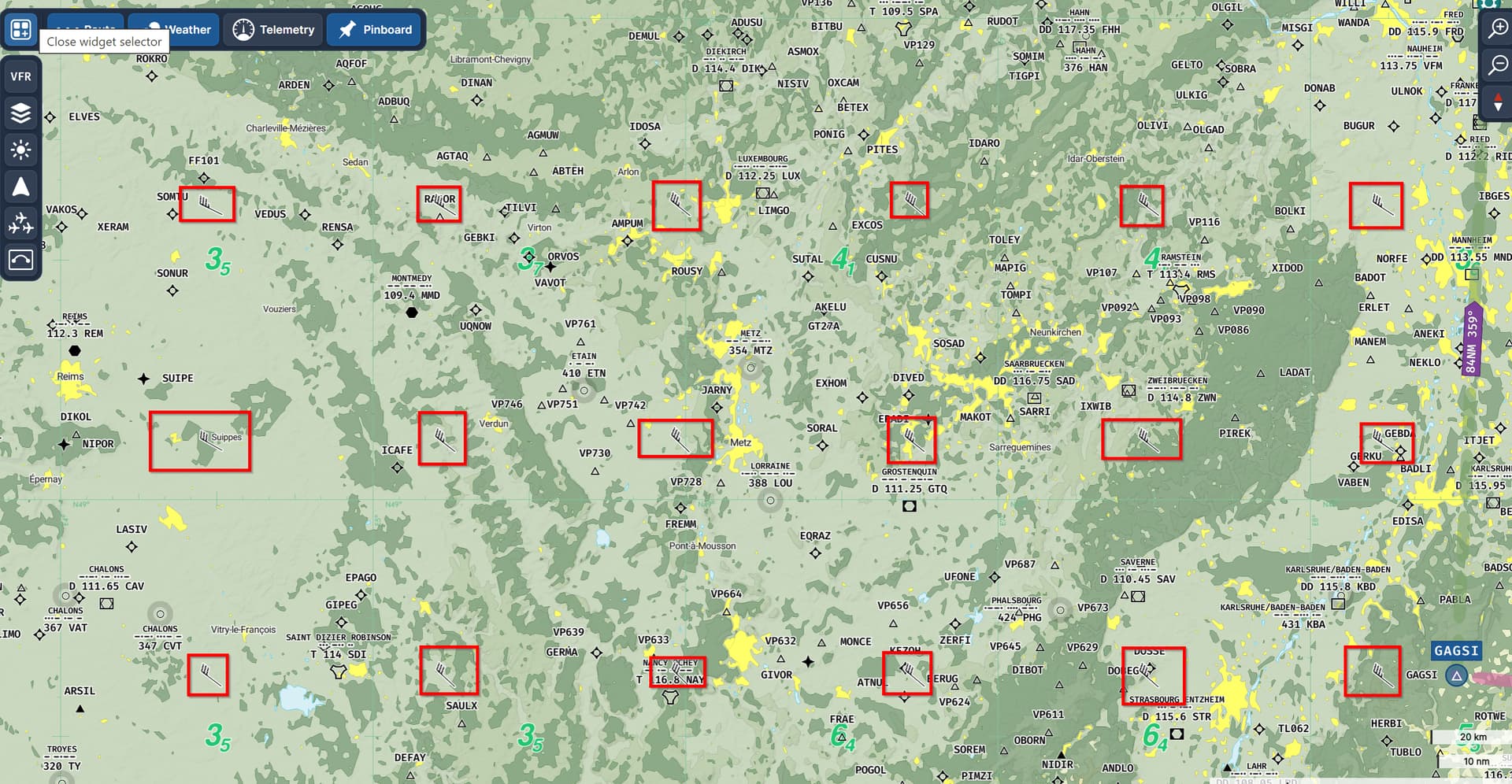
I did get some barbs in the area you showed:

You may need to zoom out:

Try this and different areas zoomed out to confirm you are seeing some barbs.

Cheers

Ian

Thanks, but the wind barbs are so small that you can hardly see them at all. I would have to look with a magnifying glass on the screen, my glasses are not enough. Is there anything you can do about the view?


You could try increasing your map scale!

Here’s the normal 100% scale

And here is 150% scale:

Thank you very much! That’s much better! This way I don’t have to buy new glasses.

1 Like

Happy to hear that! Enjoy :slight_smile:

1 Like